Copilot studio is a low code tool with power of AI which can be utilized for building automation for your enterprise data and scenario. You can utilize it to make your business more efficient.
Now you might have a question about how can I access copilot studio. Well, Irrespective of having license or not you can access it from following URL
https://copilotstudio.microsoft.com
If you license you are good to log in using your M365 credential where license is attached but if you don’t have license, you can still sign up for free trial from sign up page (Microsoft Copilot Studio – Sign up)
Once you sign up and log in you are going to see screen like below
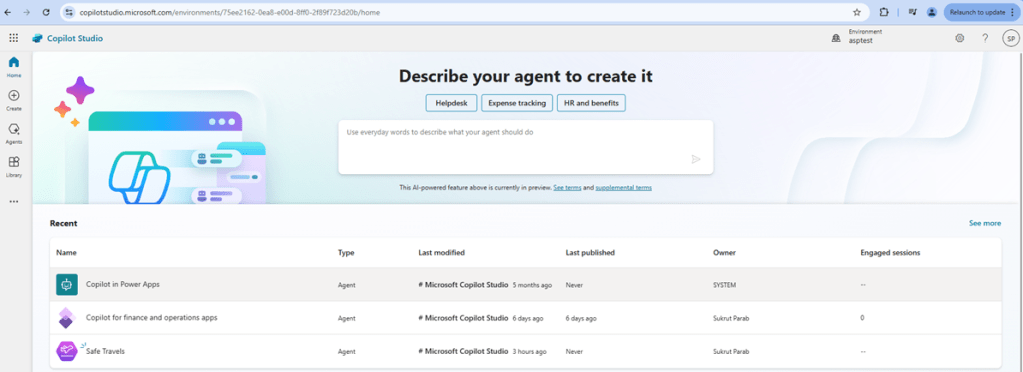
Let’s look at some of the important concepts in Copilot studio first and then we can look at how we can utilize it to extend side car experience with F&O.
When you click on any available agent on top left hand corner pane you will see below screen with different companions to agents. Let’s look at what agent is and what the other companions like knowledge sources, actions etc.

What is Agent?
Agent is a powerful AI companion that can handle range of interactions and tasks, the best action to take based on instruction and context. Agent is a collection of different elements like context, knowledge sources, topics, actions, inputs, and triggers to accomplish your desired goals. Agents helps to improve productivity by performing tasks to assist users and organizations.
Knowledge – Knowledge sources act in coordination with generative answers. Knowledge can be data from power platform, Dynamics 365, website, documents or any other external system. They help agent to provide relevant information to you as end result when added to agents.
Topics – Topic is core building block of agent which defines how concertation dialog plays out. If you look at topic section on agent you are going to notice two types of topics.
- Default topics – These are predefined topics in agent which makes it operational.
- Custom topics – You can create your own custom topics. The default custom topics offer fundamental conversational abilities, such as Greetings, Goodbye, thank you, and Start Over.
Actions – Action is reusable piece of code that can perform any task or provide specific functionality to Agent. For example , connecting to service now to update something in service now or update a table in Dataverse. Using Actions you can help agent by executing a workflow , connecting to external system.
Now Let’s see how can we extend the side car experience in Dynamics 365 for Finance and supply chain using copilot studio. In this blog we are going to focus on adding knowledge sources.
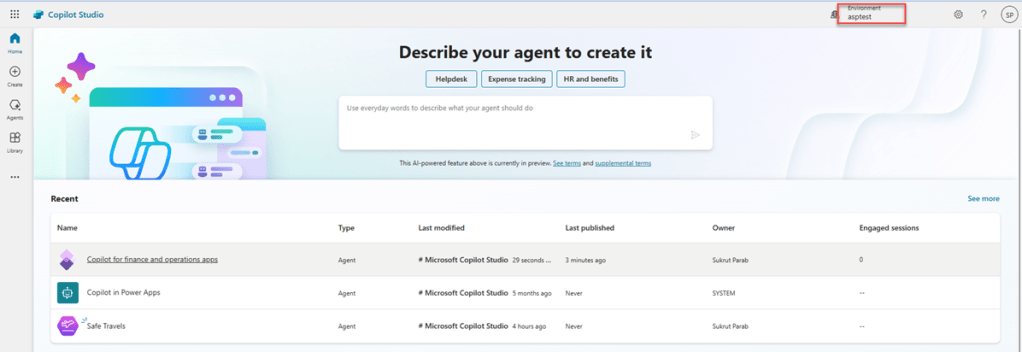
After logging in to copilot studio first step I did is I selected my enviornment. This enviornment is created using power platform admin center and it has both F&O and Dataverse components.
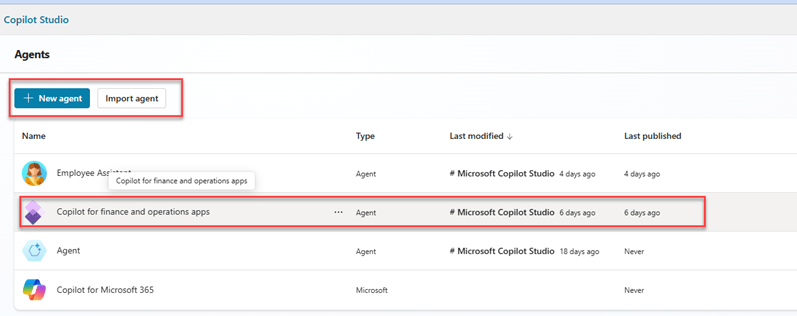
After that I clicked on the agent, and I have Copilot for Finance and operations system agent available for me. If you want to add a different agent, you can click on the new agent button or click import agent button.
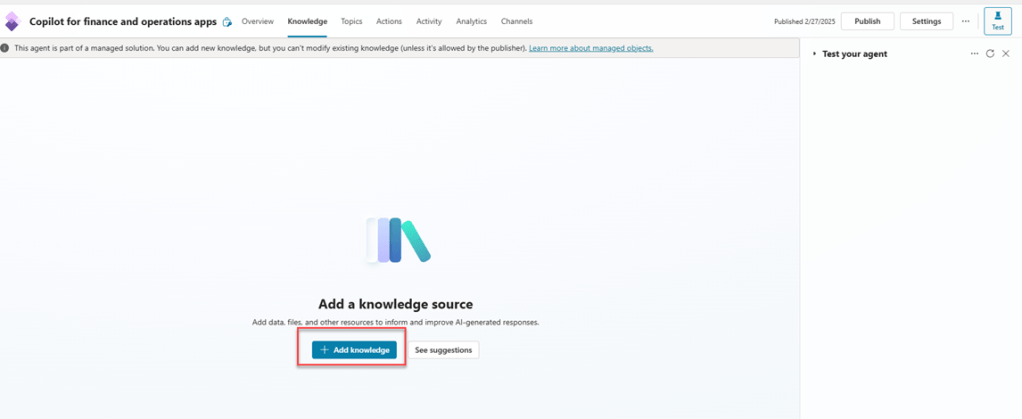
I want to extend side car experience for my finance and operations enviornment by adding some more content as knowledge source from my blog post site and some documents. To do that I opened Copilot for finance and operations agent and clicked on Add knowledge button.
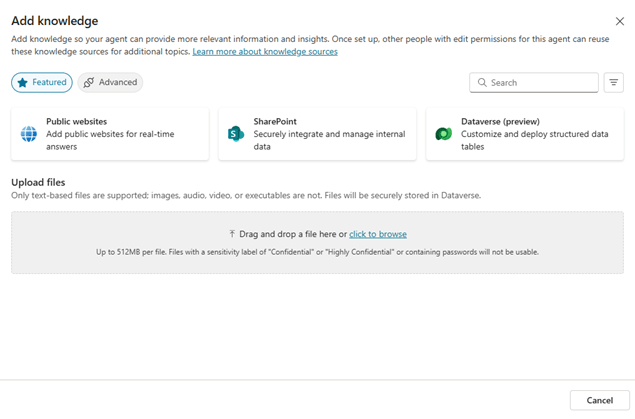
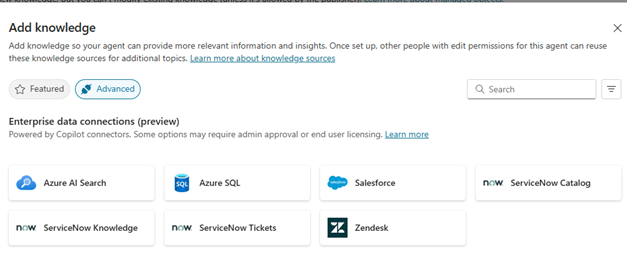
If you click on advance option you can find more options like Azure AI search, service now etc. as shown below. If you want to add your own word documents or PDF files or anything else, you can add it as knowledge source.
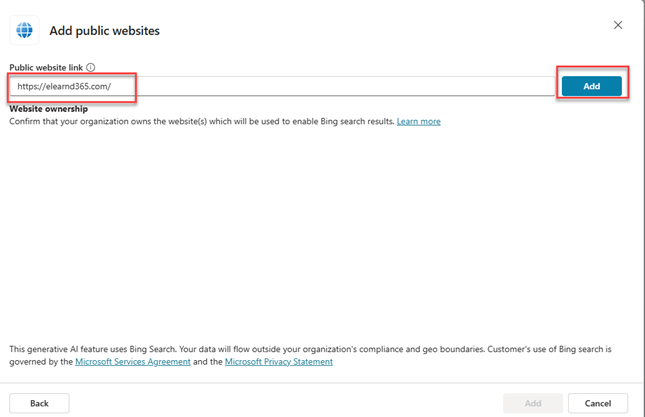
To add my blog site as knowledge I took URL of my blog site and added it by using the screen below.
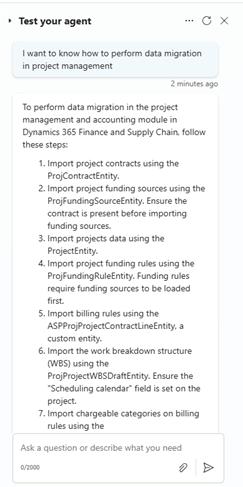
Once I added that my agent is ready for testing. I asked my agent a question “How to perform Data migration in Project management” and the response I got below is from the blog post about Data migration in Project management from the blog post site I added as knowledge source
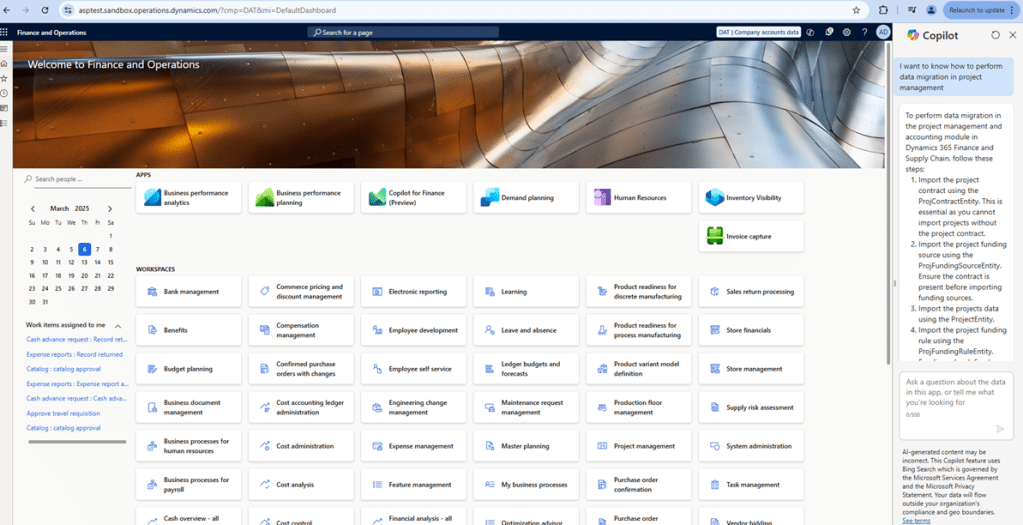
Now lets go to Finance and operations side car and ask the same question. If you check the screenshot below , when I aske the same question to side care within F&O it gives me reply saying “I am not sure how to help with that.”

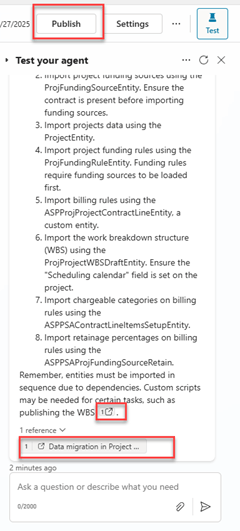
The reason behind getting that response is, the knowledge sources which I added in my agent are not published. I published those and once again I asked the same question to side car and result is different this time.
As you can see in below screenshot, the response which I got in F&O this time is same as I got while testing agent
Hope you enjoyed this post. If you want to learn more about Copilot studio please visit this page.
If you have an questions feel free to comment on this post.
 e-Learn Dynamics 365 and Power platform